Certificate Error Messages
The following errors may occur when a certificate is being trusted as part of the validity checks. These error messages are displayed when moving certificates from the Untrusted store to the Trusted store.
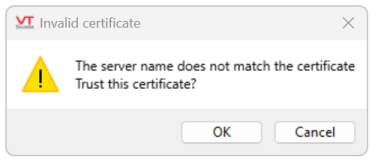
| Error Message | Meaning | Solution |
|---|---|---|
| The server name does not match the certificate | The name of the server presenting the certificate is not found in the 'Subject' or 'Subject Alternative' names. | Create a new certificate with the server name set as the Common Name or included in the Subject Alternative Name list. |
| The EKU (Enhanced Key Usage) must permit Server Authentication | The certificate does not include the required EKU for Server Authentication (i.e. 1.3.6.1.5.5.7.3.1, see EKU is a text value or an array of text values that define Extended Key Usages (sometimes called Enhanced Key Usages) that the keys are intended for. The text values are Object Identifiers (OIDs). Commonly used ones include: for more information). | Create a certificate with the correct EKU value of 1.3.6.1.5.5.7.3.1(accessible from the EKU list). |
| The certificate has expired or is not yet valid | The certificate is outside its valid date range (expired or not yet valid). | Renew the certificate if expired, or create a new certificate with a valid start date. |
EKU is not a value directly accessible from the VTScada UI, it is simply provided here as a potential cause for error.
